Capture
Glean Feed
The hosted portal and embedded widget keep each request attached to the user who submitted it.
Nolt
Nolt provides simple feedback boards, comments, duplicate merging, and broad integrations.
Glean Feed starts free and lets the coding agent manage requests, roadmap updates, and changelogs over MCP.
Why Glean Feed: Choose Glean Feed when MCP, API access, a connected changelog, and developer workflows are the deciding requirements.
Browse the public feedback board, roadmap, and changelog that Glean Feed uses for its own product.
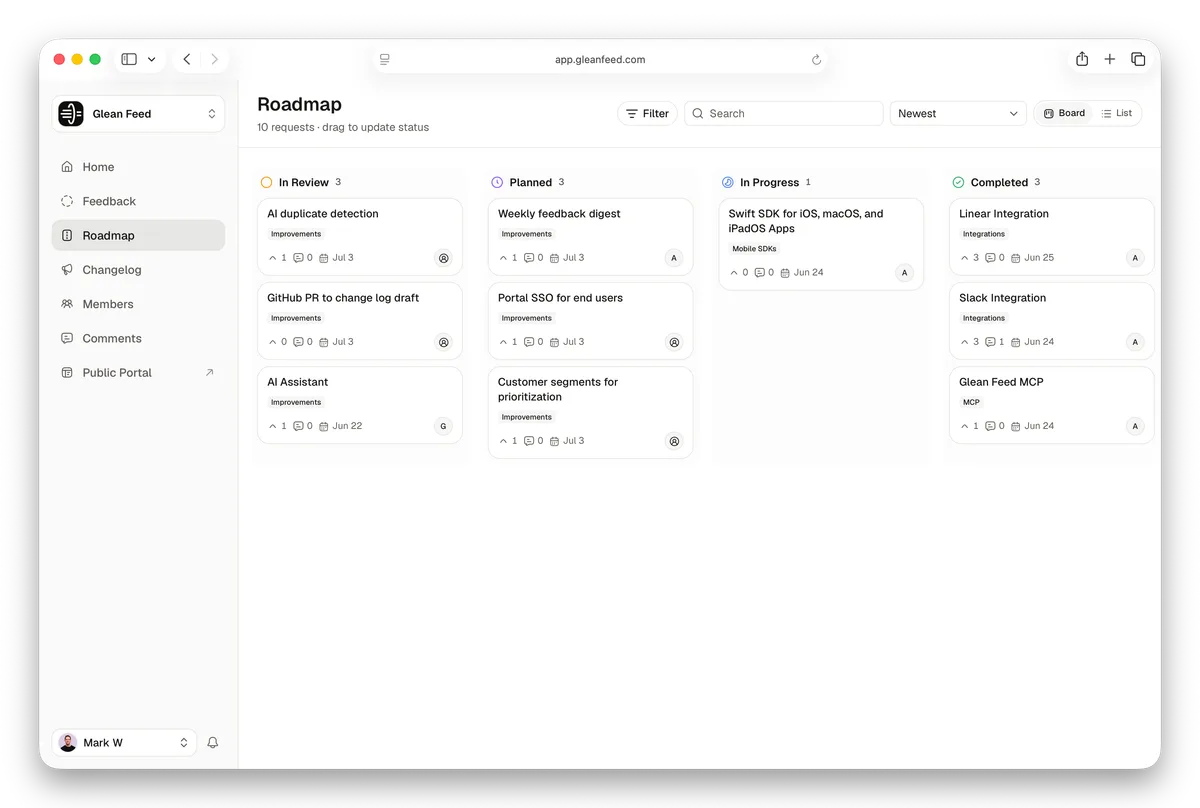
Glean Feed connects feedback, roadmap, and changelog to the coding agent through MCP and REST. Nolt adds assignments, deadlines, custom fields, and SSO to its feedback boards.
Glean Feed Free · $0/month
Start with three feedback boards, a public roadmap, changelog, REST API, and MCP. Nolt’s published Essential plan starts at $29/month billed annually for one board.
Start freePublic roadmap
Dark mode for the portal
$0
per month
3 boards
included
API + MCP
included
Glean Feed
The hosted portal and embedded widget keep each request attached to the user who submitted it.
Nolt
Nolt provides simple feedback boards, comments, duplicate merging, and broad integrations.
Glean Feed
Triage feedback and promote qualified requests into the public roadmap; authorized agents can operate the workflow over MCP.
Nolt
Nolt adds a visual Kanban workflow with assignments, deadlines, custom fields, statuses, and access controls.
Glean Feed
Link shipped requests to a changelog and notify the people who voted or subscribed.
Nolt
Nolt connects its roadmap and changelog to the feedback process, with export APIs on Pro and above.
Scroll horizontally to compare every column.
| What matters | Glean Feed | Nolt |
|---|---|---|
| Starting price | Free plan | $29/month billed annually |
| Users and admins | Plan-based team limits | Unlimited users, content, and admins |
| SSO | Not publicly claimed | Available on Essential |
| Agent workflow | MCP and REST API | Export APIs and integrations |
| Feedback boards | Three, ten, or unlimited by plan | One, five, or unlimited by plan |
| Kanban execution | Customer-facing roadmap stages | Kanban workflow with assignments and deadlines |
| Roadmap and changelog | Connected to feedback from Free | Included in the feedback workflow |
| Export | Workspace data export and REST API | Async CSV on all plans; real-time CSV/JSON APIs on Pro+ |
Test the available export and import path with one real board before changing public links.
Nolt's official pricing currently starts with the paid Essential plan. Glean Feed offers a permanent free plan.
Nolt publishes unlimited admins on every plan. Glean Feed limits team members on Free, Starter, and Growth, while Plus includes unlimited team members.
Yes. Nolt documents asynchronous CSV exports and real-time CSV/JSON APIs on Pro and above.
Glean Feed has a permanent free plan, direct MCP and API access, and a changelog connected to the requests behind each release.
Start free. Test one real board, daily triage, and your public links before switching.